 Hearthtone
iPhone guide
How to listen to Navidrome offline on iPhone
With Hearthtone, you can stream from your Navidrome server for free. Hearthtone Pro is a one-time purchase that lets you download music to your iPhone and play it when your server is out of reach.
Before you start, have your Navidrome server address, username and password handy. Download your music while the iPhone can still reach the server.
1. Connect your Navidrome server
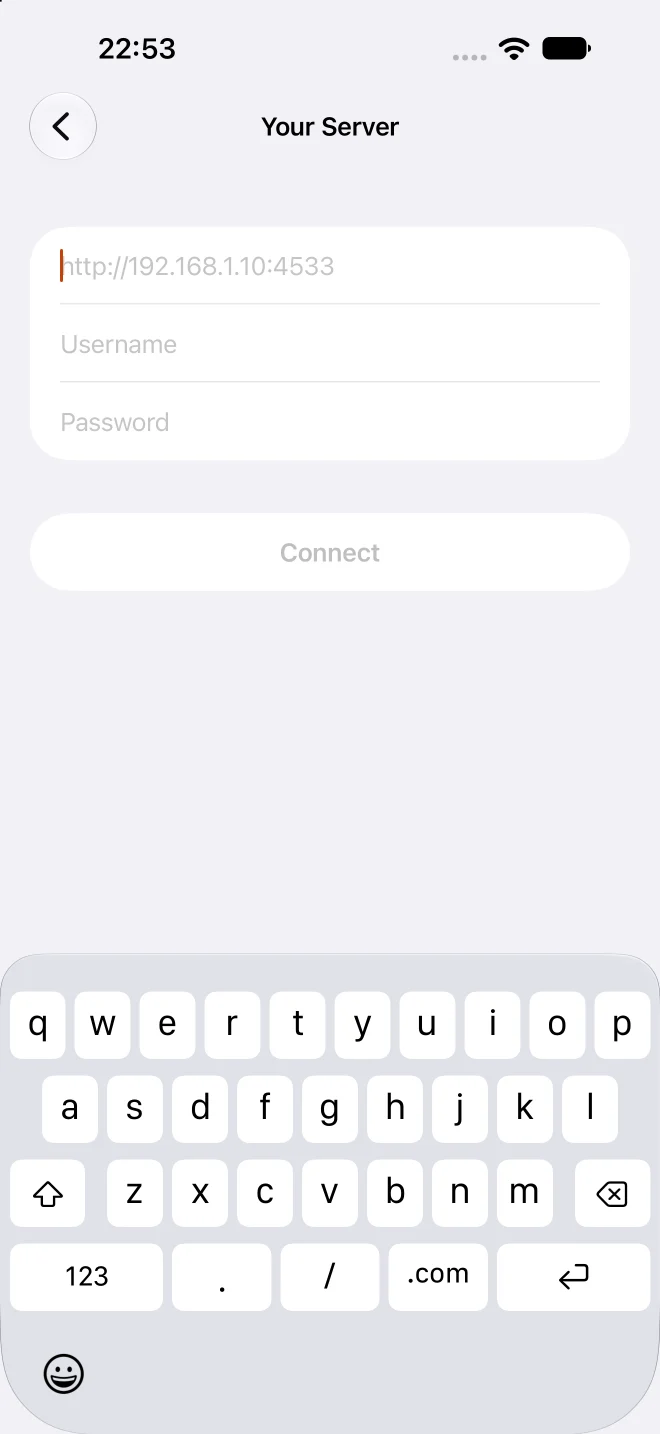
Install Hearthtone and tap Connect My Server. Enter the server address, username and password, then tap Connect. Use the same server address you open in your browser and use HTTPS if the server is on the public internet.
If you just want to look around, choose Try the Demo Server on the welcome screen.
2. Download an album or playlist
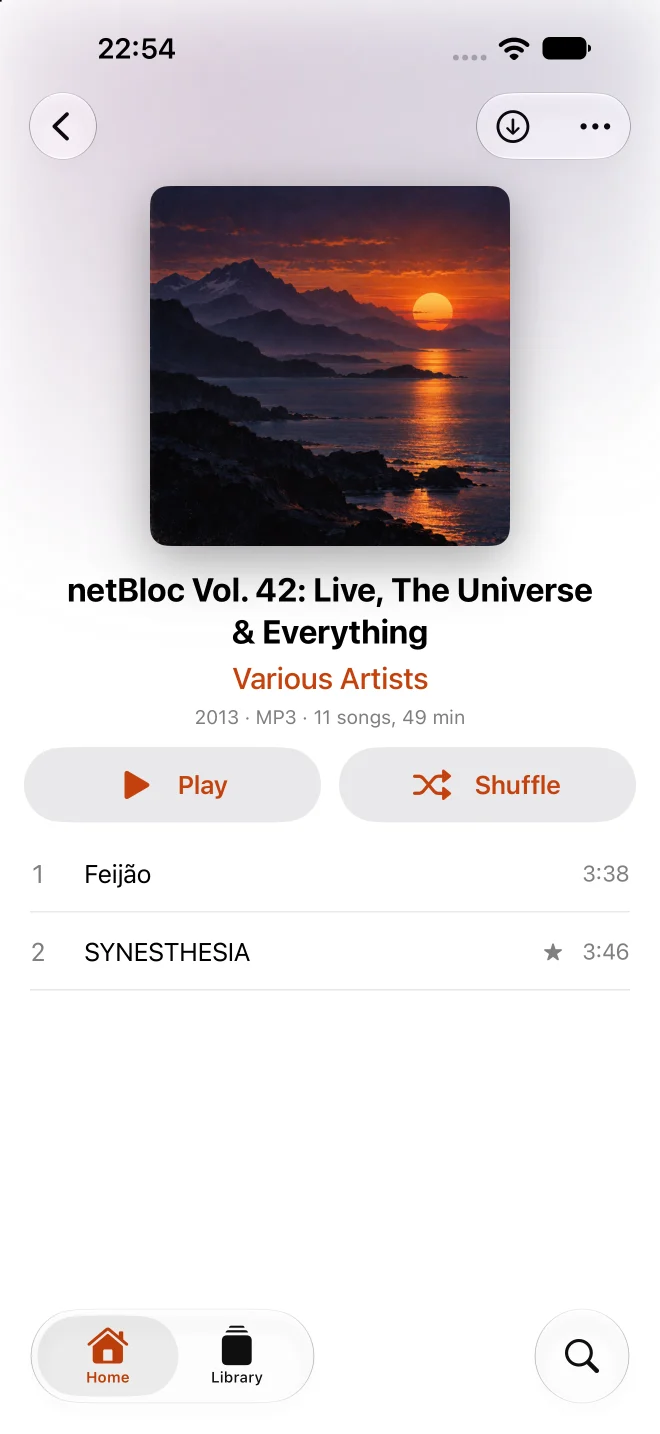
Open an album or playlist and tap the Download button (the down arrow in a circle) at the top right. If you haven’t unlocked Pro, the app will show the purchase screen. You can also open Settings from the profile icon on Home and choose Unlock Hearthtone Pro.
Wait until the album or playlist shows Downloaded. For a single track, touch and hold the track and choose Download.
3. Play your downloads offline
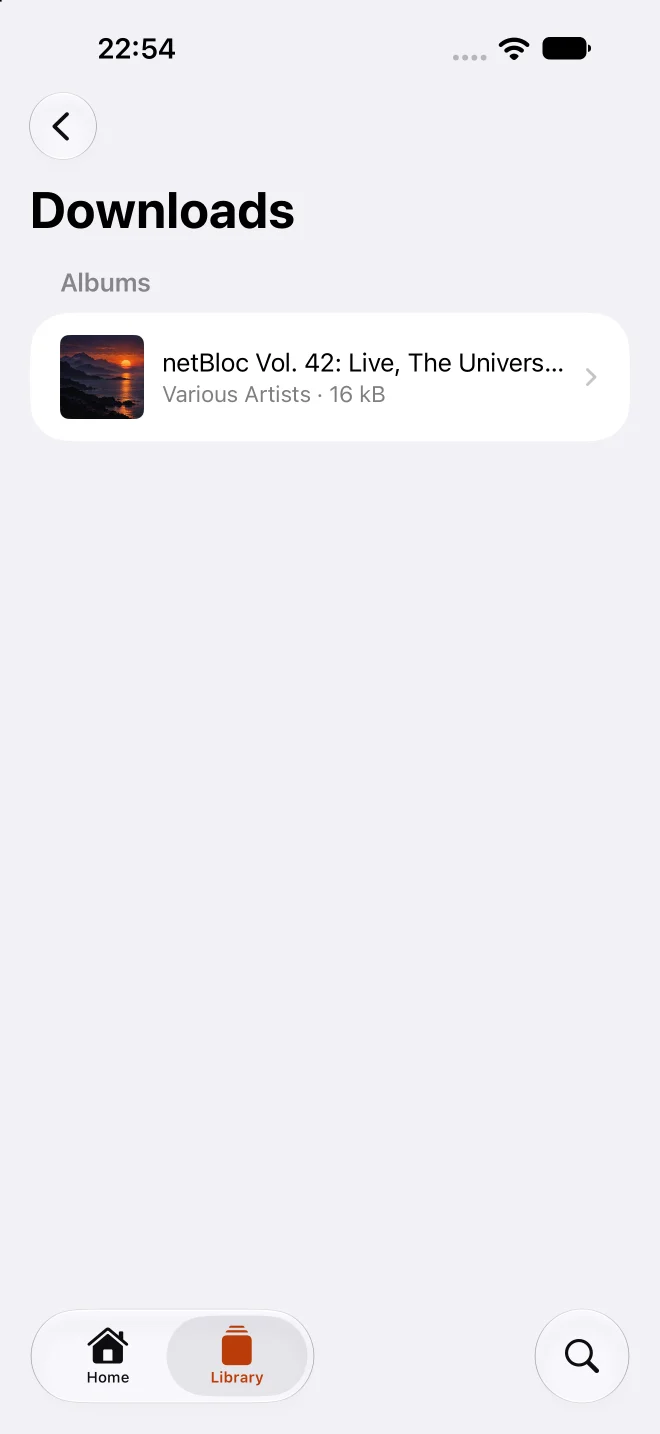
Open Library, tap Downloads, then choose a saved album, playlist or track. Before a flight or commute, switch on Airplane Mode, turn off Wi-Fi if it’s still on, and play a track from Downloads to check it’s ready.
Downloads are stored on this device. Download the music separately on each iPhone or iPad you want to use offline.
What’s free and what requires Pro?
Streaming from one server, browsing your library, search and lyrics are free. Offline downloads require Hearthtone Pro. If you already own Pro, choose Restore Purchases in Settings using the Apple Account that bought it.
If a download doesn’t finish
Check that the iPhone can still reach your server. If Download on Wi-Fi Only is enabled in Hearthtone’s settings, connect to Wi-Fi. Some servers require simpler sign-in. For those connections, keep Hearthtone open until the download finishes. See Hearthtone Support for connection and sign-in help.